

Trading Experts for MT5
FinPip Suite
Risk panel, session clock and multi-theme — all three on one chart
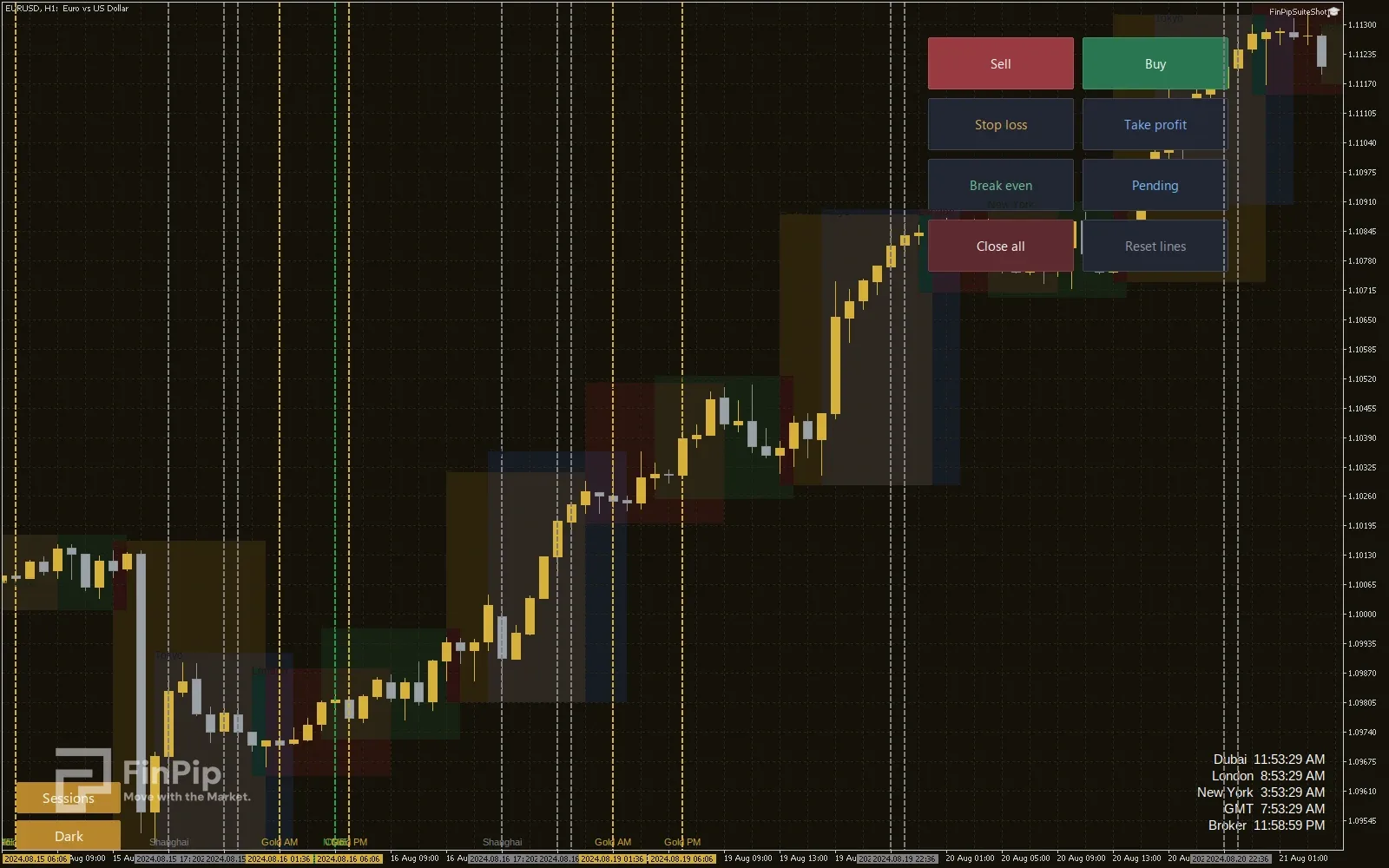
The all-in-one edition of the FinPip experts. MetaTrader only lets one Expert Advisor run per chart, so the Suite bundles the click-to-trade risk panel, the session clock (with session boxes and market-open lines) and a multi-theme colorizer into a single expert — each module switched on or off from the inputs. The theme engine ships three families — Gold & Silver, Blue & White and classic Red/Green — each in a dark and a light mode: pick the family from the inputs, flip dark/light from an on-chart button, and toggle the session boxes from a second button — your choices are remembered per chart.
- Free
- MetaTrader 4 & 5
- .ex5 + .ex4
Key features
- One chart, all three tools — because MetaTrader allows only a single EA per chart, the Suite runs them together instead of replacing one another.
- Independently toggle each module: risk panel, session clock, chart theme.
- Six chart themes — Gold & Silver, Blue & White and Red/Green, each in a dark and a light mode.
- Flip dark/light and toggle the session boxes from on-chart buttons; the theme family is chosen in the inputs, and your choices are saved per chart.
- Risk panel: lot size from your stop-loss distance, reward-based take-profit, one-click Buy / Sell / Break-even / Close-all and draggable SL & TP lines.
- Session clock in your timezone, session high/low boxes and dashed market-open vertical lines.
- Runs on both MetaTrader 5 (.ex5) and MetaTrader 4 (.ex4).
Key inputs
- Enable Risk Panel
- Turn the click-to-trade risk manager on or off.
- Enable Session Clock
- Turn the clock, session boxes and market-open lines on or off.
- Enable Chart Theme
- Turn the multi-theme colorizer on or off.
- Theme family
- Gold & Silver, Blue & White, or Red/Green.
- Theme mode
- Dark or light variant of the chosen family.
- Show theme button
- Show the on-chart dark/light button (bottom-left).
- Risk mode
- Size the lot by a percent of balance, or a fixed money amount.
- Reward/Risk ratio
- R multiple used for the take-profit (e.g. 2.0).
- Clock timezone
- Broker, GMT, New York, Dubai or London.
- Show session boxes / market-open lines
- Shade the trading sessions and draw dashed lines at the major opens.
- Show Sessions button
- Show the on-chart button that toggles the session boxes and market-open lines on or off.
How to install
- 1
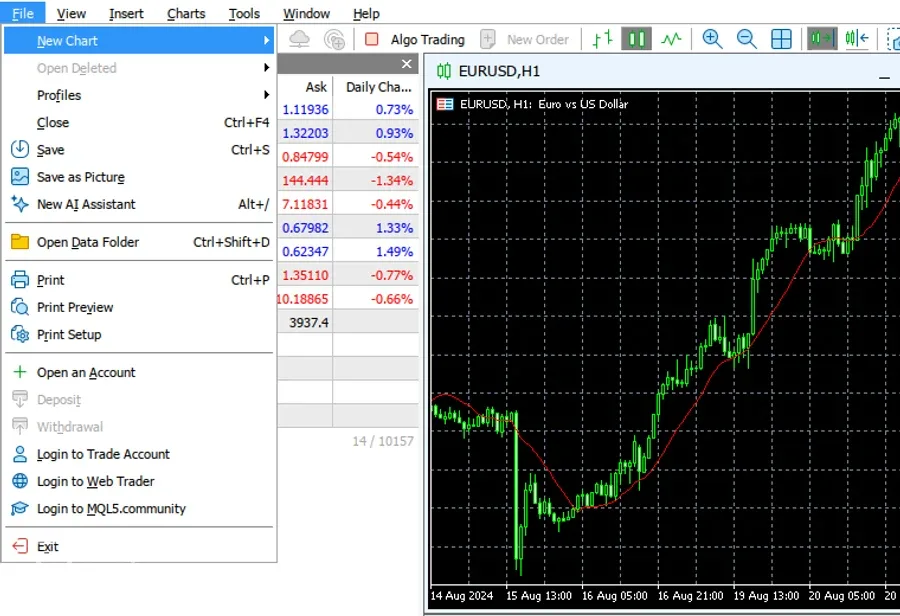
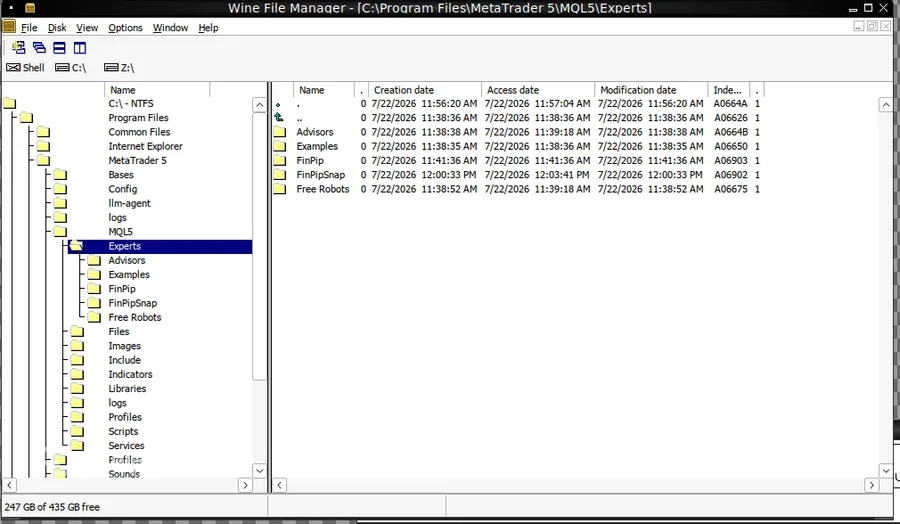
In MetaTrader 5 open File → Open Data Folder, then go to MQL5 › Experts.
- 2
Copy the downloaded .ex5 file into that Experts folder.
- 3
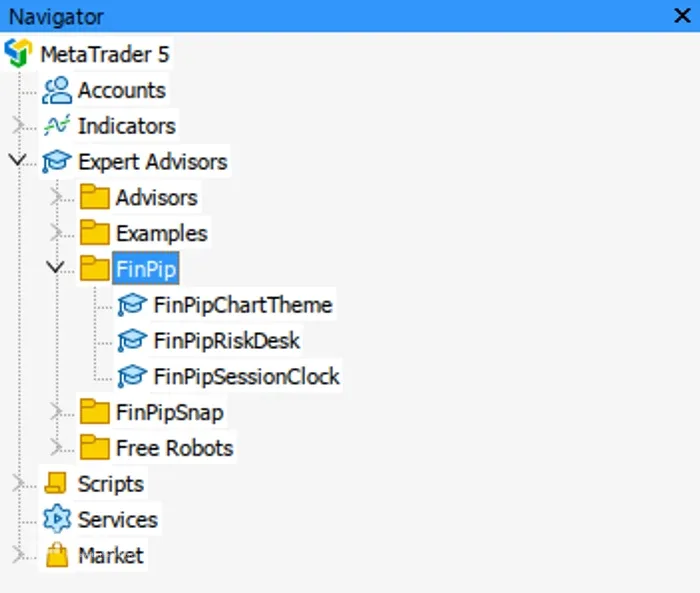
Back in MT5, right-click Navigator → Refresh — the expert appears under Expert Advisors.
- 4
Drag it onto a chart. For RiskDesk, enable Algo Trading so it can place orders.
Download is the ready-to-use compiled expert (.ex5) — just drop it into MT5 (no compiling needed). It is a manual charting/trading tool, not an automated strategy, and it makes no profit claims.