

Trading Experts for MT5
FinPip Risk Manager
Risk-based position-sizing panel for MetaTrader
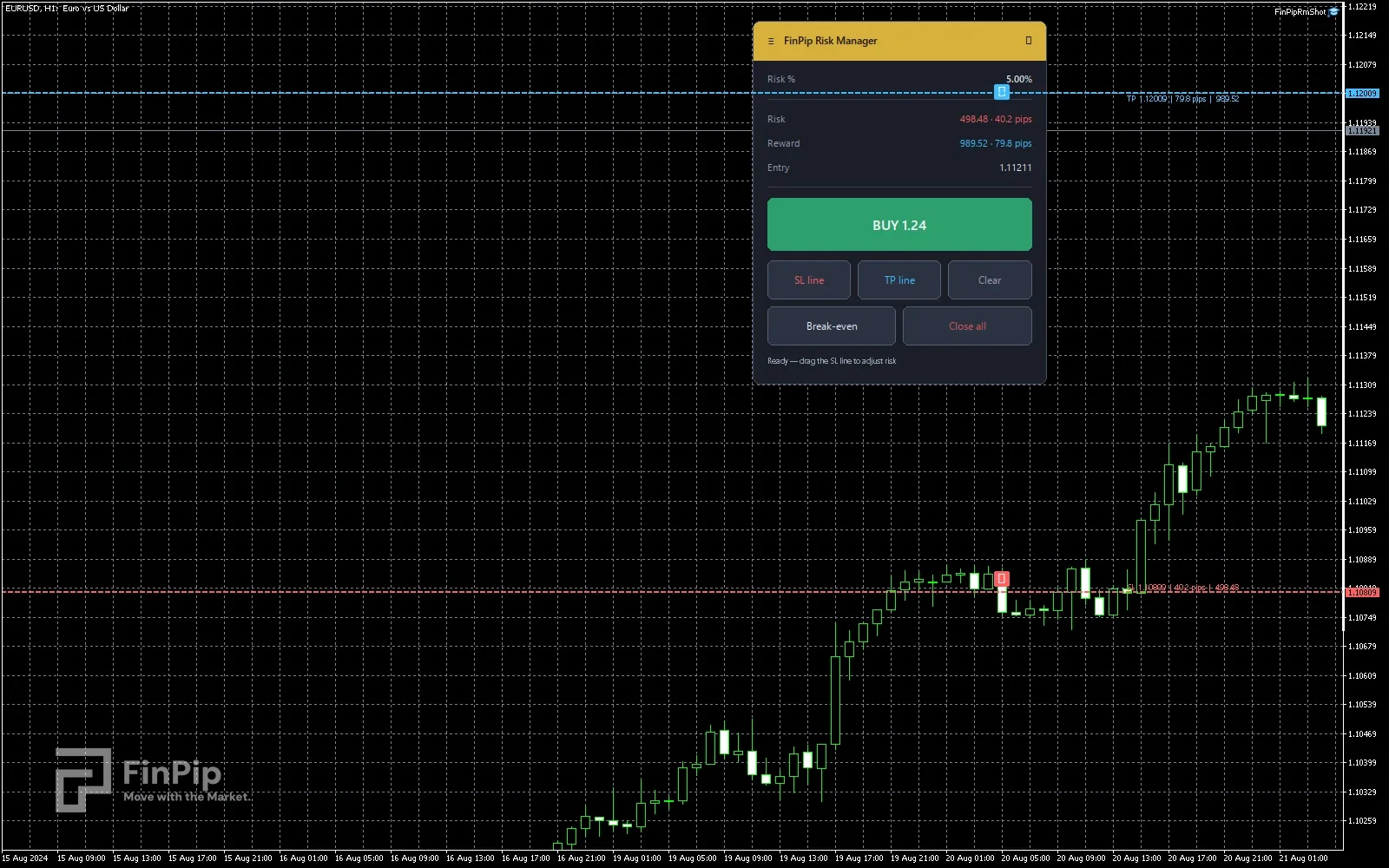
A clean on-chart panel that turns your risk into the right lot size. Set your risk % and reward-to-risk in the inputs, drag the stop-loss line where you want it, and the panel works out the exact position size so the loss at your stop equals the risk you chose. One click on the direction-aware button opens the trade at market with the stop in place and a take-profit at your R:R. The rounded panel is draggable, collapsible and scales to any screen.
- Free
- Expert Advisor
- MetaTrader 4 & 5
- .ex5 + .ex4
Key features
- Risk-based lot sizing — set your risk % and the exact position size is computed from your stop distance, so the loss at the SL equals the risk you chose.
- Draggable stop-loss and take-profit lines with grab handles; move the stop and the lot updates live.
- TradingView-style position box — a green reward zone and a red risk zone drawn behind price, from your entry out to the TP and SL.
- Fixed reward:risk — the take-profit tracks your R:R, and dragging either line keeps the ratio (drag the TP and the SL moves to match).
- One direction-aware button — turns green BUY or red SELL depending on which side your stop sits, and shows the exact lot it will trade.
- Live readout: your risk in money and pips, the reward, and the entry price.
- Break-even and Close-all buttons for the current symbol.
- A modern rounded panel you can drag anywhere, collapse to its header, and that scales to any screen size.
- Available for MetaTrader 5 and MetaTrader 4.
Key inputs
- Risk %
- How much of the account to risk on each trade.
- Reward:Risk
- The R multiple used to place the take-profit (e.g. 2.0).
- Risk basis
- Size the risk from account Balance or Equity.
- Saved balance
- Off-account savings added to the risk base, so lots size on balance + saved money.
- Magic number
- Tags the orders opened by the panel.
- Slippage
- Maximum price deviation (points) for market execution.
- UI scale
- Panel size; 0 = auto-scale from the chart height.
- Panel corner / X / Y
- Where the panel first appears (you can drag it afterwards).
How to install
- 1
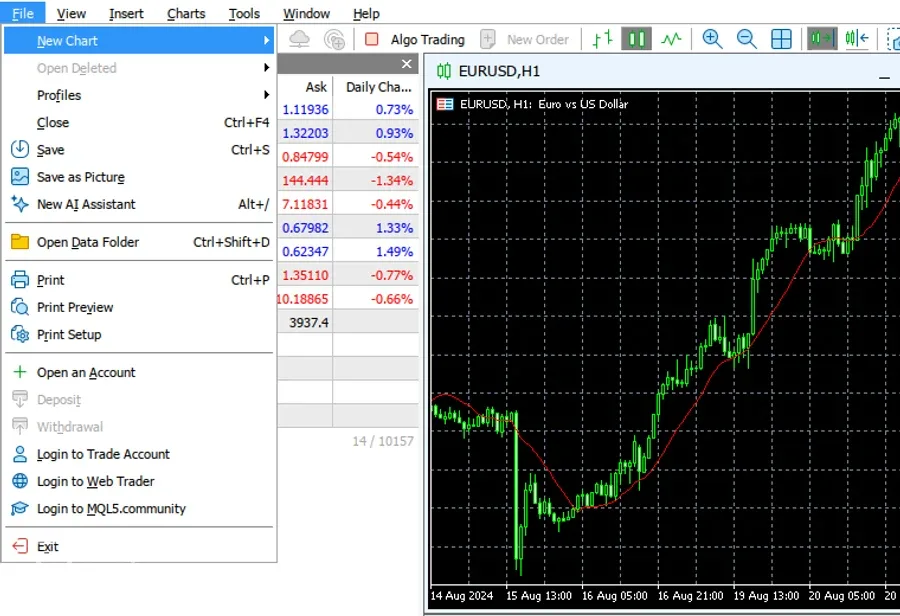
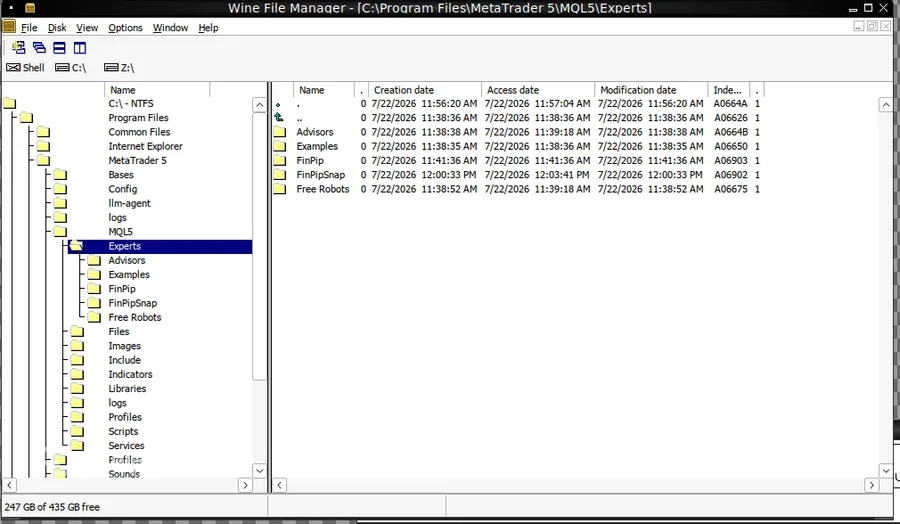
In MetaTrader 5 open File → Open Data Folder, then go to MQL5 › Experts.
- 2
Copy the downloaded .ex5 file into that Experts folder.
- 3
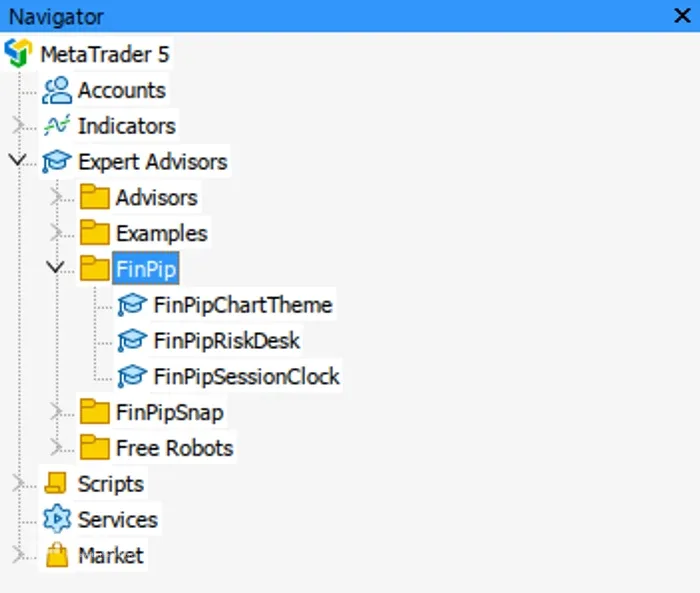
Back in MT5, right-click Navigator → Refresh — the expert appears under Expert Advisors.
- 4
Drag it onto a chart. For RiskDesk, enable Algo Trading so it can place orders.
Download is the ready-to-use compiled expert (.ex5) — just drop it into MT5 (no compiling needed). It is a manual charting/trading tool, not an automated strategy, and it makes no profit claims.